
LuwanTerm
Tabbed SSH terminals, SFTP and port forwarding in one window. Your PuTTY keys work as they are.
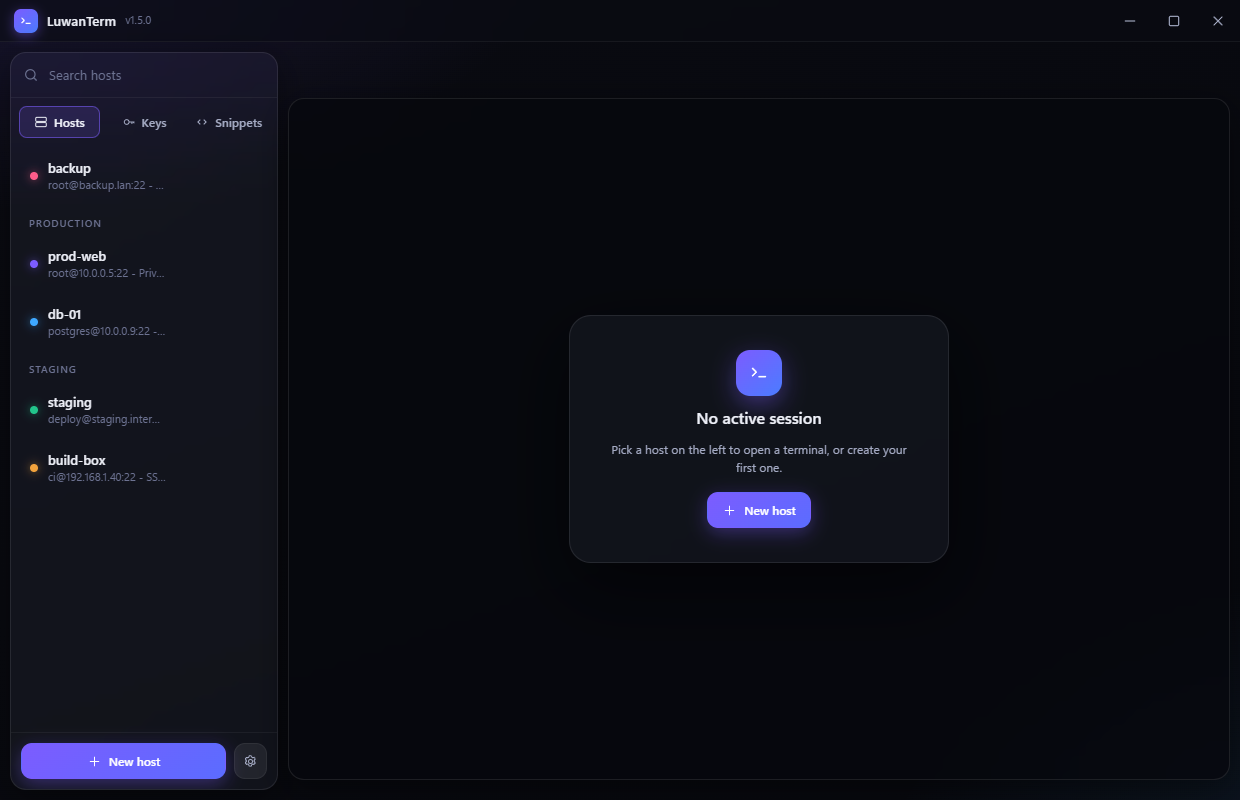
Tabbed SSH terminals, SFTP and port forwarding in one window. Your PuTTY keys work as they are.
Everything a terminal, a file browser and a tunnel manager would do, without three separate windows.
xterm.js with GPU rendering, a find bar and copy-on-select. Each tab keeps its own scrollback and pty size.
Browse, upload, download whole folders, rename and delete over the same connection as the terminal. Transfers show progress and can be cancelled.
Local, remote and a real SOCKS5 proxy, with a live connection count for each tunnel.
Versions 2 and 3, every key type, encrypted or not. Read where they live and never rewritten or converted.
Fingerprints recorded on first use and checked every time, with a loud warning if one ever changes.
Passwords and passphrases are encrypted by Windows. If that is unavailable, nothing is written at all.
A working copy of the interface. Change the font, the size, the accent and how far the terminal lets the background through - exactly the settings the app has. The picker offers every font this page can draw: the ones installed on this machine, plus the rest fetched from Google Fonts so you can try them without installing anything.
LuwanTerm knows 193 monospace families, each rendered in its own face. Checking what you have... The list is live - it runs the same check the app does, then loads what it can from Google Fonts for the rest. Click any font to put it in the demo above. A Nerd Font is drawn in its unpatched base family, and a few commercial faces cannot be served at all.
Download and run. Windows will say “Windows protected your PC” the first time — click More info, then Run anyway. That is SmartScreen asking whether the app is signed and widely run, not whether it contains anything harmful. These builds are unsigned, and every release lists a SHA-256 so you can confirm you have the file that was published.
git clone https://github.com/Rathio12/LuwanTerm.git
cd LuwanTerm
npm install
npm start
| Guide | What's in it |
|---|---|
| Getting started | First connection, host profiles, tabs, shortcuts |
| SSH keys | Generating, adding your own, .ppk, installing on a server |
| SFTP | Transfers, folder downloads, cancelling |
| Tunnels | Local, remote and SOCKS5, with worked examples |
| Configuration | Build settings versus user settings |
| Code signing | Why Windows warns and what actually fixes it |
| Make it your own | Rebranding, retheming, adding a panel |
| Architecture | How it fits together, for anyone changing the code |